Build a Digital Twin for Interactive Fluid Simulation
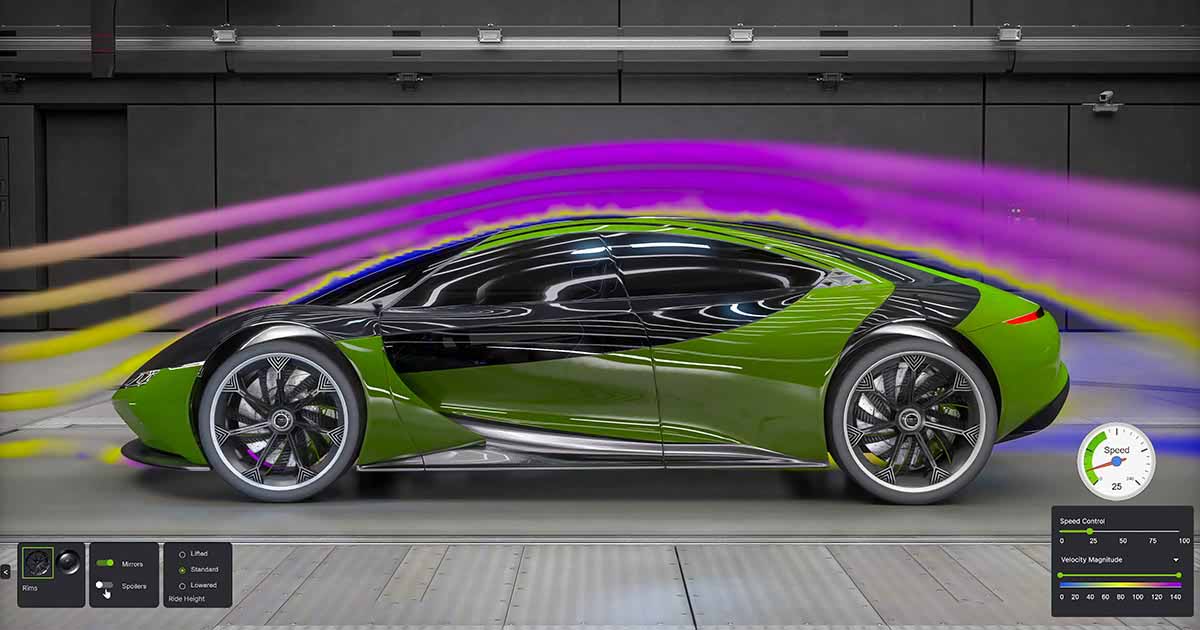
This Omniverse blueprint is framed as a reference workflow for commercial software vendors building interactive digital twins, with the specific domain focus labeled as CAE and external aerodynamics. In practice, that usually means bridging “heavy” simulation outputs (CFD, flow fields, boundary conditions) with an interactive 3D scene where a user can explore results, tweak parameters, and iterate.
If you’re coming from simulation tooling, the core value of a blueprint like this is the integration pattern: how to get data and geometry into a consistent USD-based scene graph, how to update it as you change inputs, and how to keep the rendering + interaction loop responsive even when the underlying simulation is expensive. If you’re coming from real-time 3D, it’s a reminder that the bottleneck is often data movement and representation, not rendering.
What to try first: skim the prerequisites on the blueprint page, then run the blueprint as-is and focus on the I/O boundaries — what goes in, what gets generated, and what gets visualized. Once you understand that, swap the example data for your own solver output (even a single timestep) so you can validate that your pipeline to USD + metadata works end-to-end before you worry about interactivity.
Source listing: https://build.nvidia.com/blueprints?filters=publisher%3Anvidia